So in the throes of my Scrapjacks obsession from a few months back, I made a list builder. I, in fact, finished a list builder. It tracks your Scrapjacks, your ship, and your campaign. The cards are reasonably printable and it should be mostly self explanatory with a bit of exploration. Below, I’ll explain it anyway. But first, the link:
I’ve gone ahead and uploaded this directly here. Bit of an experiment, so let me know if it fails.

We’ll start with a tab overview:
- Data: Unsurprisingly, this is where I put all the game’s data. You could, in theory, feed this tab to an AI and have it build you an HTML tracker for your campaign. Just throwing it out there.
- Crew: This tracks your crew.
- Droids: This features two cards for droids that you can print out. Name them and they should otherwise be good to go.
- Ship Tracker: This tracks your ship and campaign. It should act as a log and will tell you how you’re doing for an ending.
Now, we’ll go in depth, starting with what you actually need to use the tool.
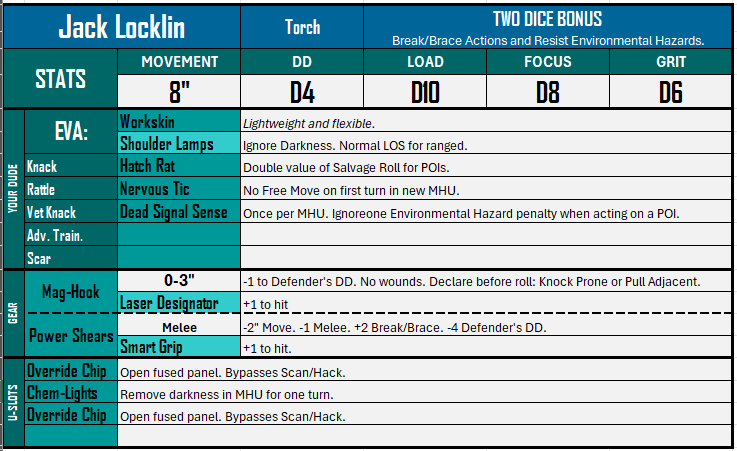
The crew tab should be mostly self explanatory. It’s a series of drop down boxes you fill in directly on the card and then it reads everything out for you. Go in this order for your first one:
- Name your crew member. Here, the name is “Jack Locklin”
- Select their class, next to the name. Here, Jack is a Torch.
- Select his EVA suit and any mod it might have. Jack is wearing a workskin with shoulder lamps.
- Select your Knack and Rattle. Jack is a Hatch Rat with a Nervous Tic.
- You probably don’t need these yet, but below that is your Veteran Knack, Advanced Training, and Scar.
- Now, select your weapons. You’re able to have a ranged weapon and a melee weapon. Please follow the game’s rules—I believe I built this without controls on your weapon selections.
- Now, uh… delete the contents of the U-Slots, probably? If you fill them in, they’ll print out. This can be helpful, but you’ll likely need to update them between games. I realized after the fact that I’d likely leave this blank, laminate the cards, and then fill them in by hand.
That’s it! Fill out your crew and print them, or have a way of interacting with the Excel live during the game. The Excel will track up to six crew.
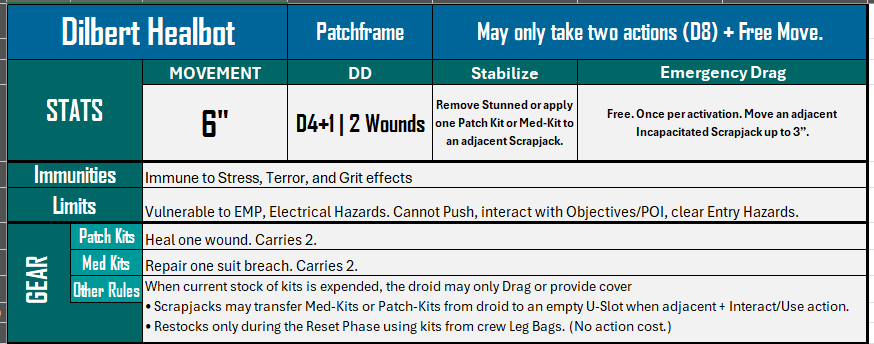
The Droids tab has prefilled droids you can print out. All you need to do is name them. This is immediately useful for solo players.
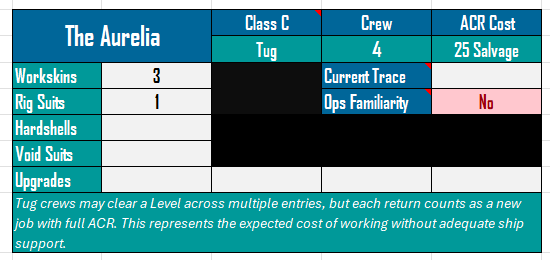
The Ship Tracker tab is useful for a few things, so I’ll go through them individually. Here, you name your ship and select its class. I put Notes on the three important areas, though I now realize the notes are a touch confusing. Where it says “Class C” is a drop downbox–like, within that cell. Current Trace has a drop down to its right to track your current trace level. Ops Familiarity has a drop down to its right to track it as well. The Notes explain these rules and even include relevant charts, so make sure to look at them.
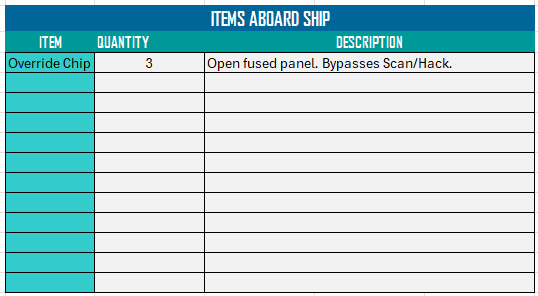
Items Aboard Ship tracks… the items aboard your ship. Select the item off the drop down box on the left (e.g. “Override Chip”), then enter the quantity that you have as a number. Easy enough.
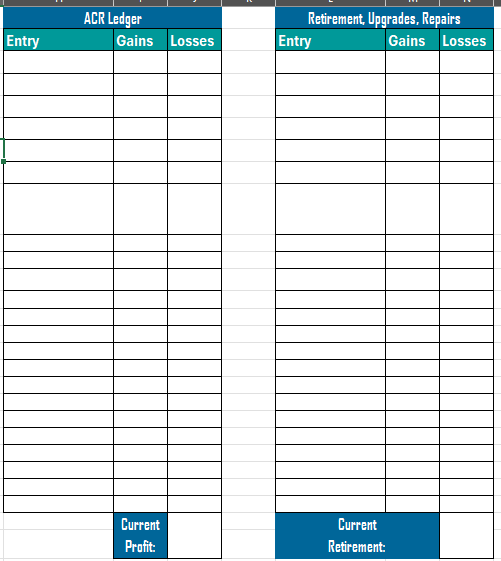
The ACR Ledger tracks your money (ACR) over time. Input an entry name then list it as a gain or a loss. It will track your profit accordingly. The Retirement, Upgrade, Repairs section is used to track the money you bank toward retirement, upgrades, and repairs. It gets read by the adjacent block:
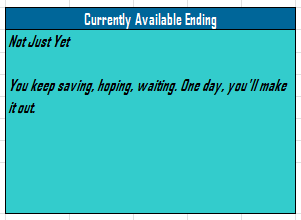
…which lists your currently available ending.
And that’s all you need to know to use this to track your crew and campaigns!
What’s that? The data tab? Oh, that’s… dangerous. It should be self explanatory. Read through it and if you want to modify anything in the game, just edit the description accordingly. This should update every reference elsewhere in the file. I advise against renaming anything in the data tab, as most lookups in this file explicitly use name references to function.
And that’s it! I haven’t even played this game yet, so I hope this helps someone get it to the board. This one has been a victim of my limited free time, despite being… well, 100% setup and ready to go now!
Good luck and happy salvaging, folks. I’ll join you some day.



 Small Scale Victory
Leave a comment